[Heather told me how to add images here - but I can’t find it !
so all "See Add_xx means http://tweedly.net/Add_xx.png. ]
I already have a collection “Addresses” with two fields - first name and last name.
Create a new layout
Add field - change name to F, label to “First Name” (leave “label” to auto)
Add field - change name to L, label to “Last Name” (leave “label” to auto)
See Add_1 - labels are not shown ??
Then click on “Run”
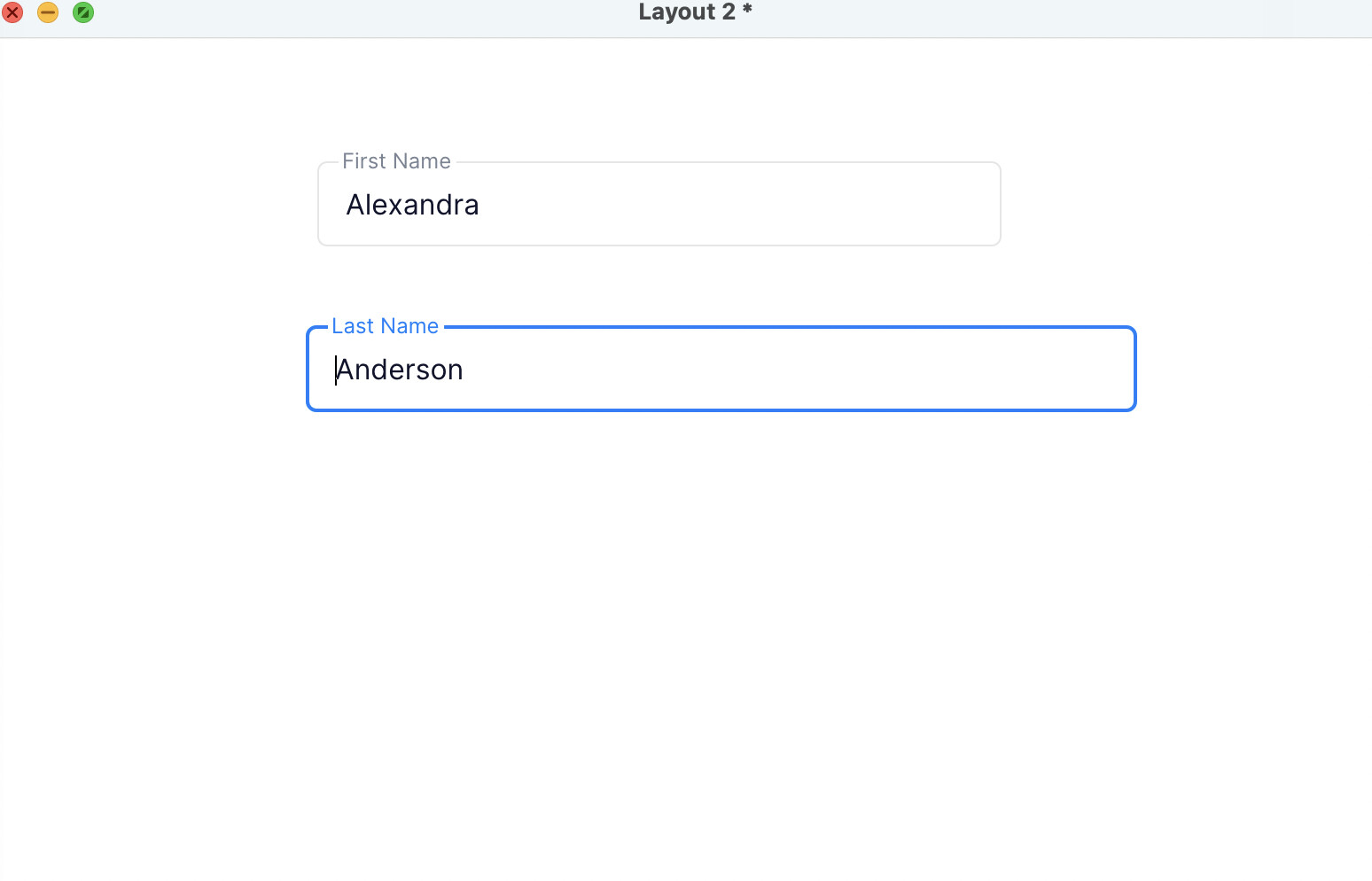
See Add_3 - first field gets focus, and label shows, but other label still does not.
Do the data binding to tie first field to first name
See Add_4 - label for first field half shown.
and Add_5 - both labels half shown.
The added buttons for next & restart
See Add_7 - Only one label showing again (but generally both show ok).
Then a question:
databinding implies immediate datastore update following UI change.
How would you go about implementing a “Cancel” or “reset” button for form-type layouts ?
When the float label property is set to auto the float label will only be active when the field is focused. If you’d like it to be there all the time you should use the always option.
The issue with labels being cut off is a bug and we hope to have this fixed soon. Thank you for the report!
To upload pictures you can use the upload file button in the toolbar, just above the text field. Alternatively you can just drag and drop the image file onto your post/reply.
Apologies, I didn’t explain this completely correct. The float label will be active here because the fields appear to have text within them. If float label is set to “auto” the float label will appear when the field is focused, OR when it has text inside.